
A CRM update
An opportunity moves to closed-won.
Inquerio AI assembles the customer's full status across CRM, billing, support, and ticketing, and posts it back to the deal record as the closing context.
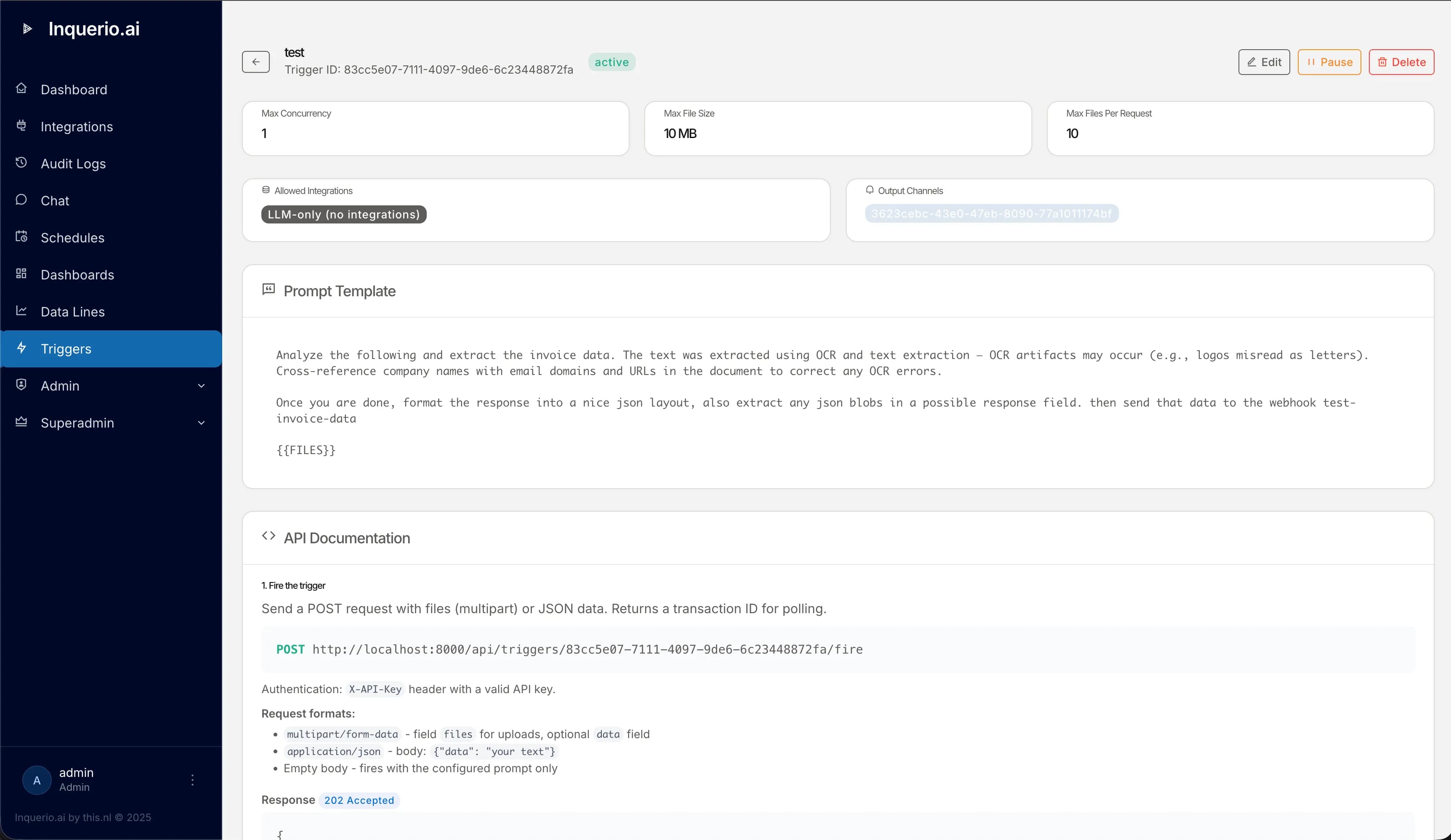
Inquerio AI gives you a webhook URL. Anything that can call a URL can ask a question and receive a structured answer. Attach a file, pass parameters, and get a result you can act on.
Each trigger has its own credential, expected payload, and history of every fire.
An opportunity moves to closed-won.
Inquerio AI assembles the customer's full status across CRM, billing, support, and ticketing, and posts it back to the deal record as the closing context.
A prospect fills in a website form.
Inquerio AI checks every system the customer touches and returns the right next step, with sources, before the form's confirmation page renders.
A monitoring tool fires an alert.
Inquerio AI looks up every customer affected, every open ticket, and every active SLA and posts the picture into the on-call channel.
Drop a PDF, a spreadsheet, or a Word document into the trigger call. Inquerio AI extracts the text and uses it as context for the question. The file lives in the call: it isn't stored, isn't indexed, and isn't kept after the answer comes back.
That makes whole categories of workflow into a single call:
Anything an external system passes into Inquerio AI (a body, a file, a parameter) goes through prompt-injection sanitization before it becomes part of the question. The trigger surface is designed to be safe to expose.
Every trigger requires a credential. Triggers can be revoked, rotated, or scoped per integration.
Attached PDFs, spreadsheets, and Word documents are extracted at call time and discarded after the answer. Nothing lingers.
User-supplied text goes through a sanitizer that strips known prompt-injection patterns before it's passed to the language model.
Every trigger fire is in the audit log: who triggered it, what was asked, what was returned, which model answered, and whether a configured override fell back to a default. Compliance can replay any decision.
Triggers do not have to share one brain. A privacy-sensitive trigger can run on a local model. A high-stakes one can run on the most capable cloud model. Each trigger holds its own choice.
Each trigger can override the tenant default with its own language model: a locally hosted model for the trigger that handles HR data, a top-tier cloud model for the one that drafts customer communications. The picker reaches every model your account has access to.
If the configured model is unavailable when a trigger fires, Inquerio AI falls back to the tenant default and records it. The audit trail shows the model that actually answered, every time.
Bring a workflow that needs a question answered mid-flight. We'll wire up a trigger and show the answer returned in real time.