
No finished job left uninvoiced
Your schedule lives in one tool, parts in a supplier account, invoices in your accounting software. Inquerio.ai links them, so finished jobs stop disappearing between systems before they're invoiced.
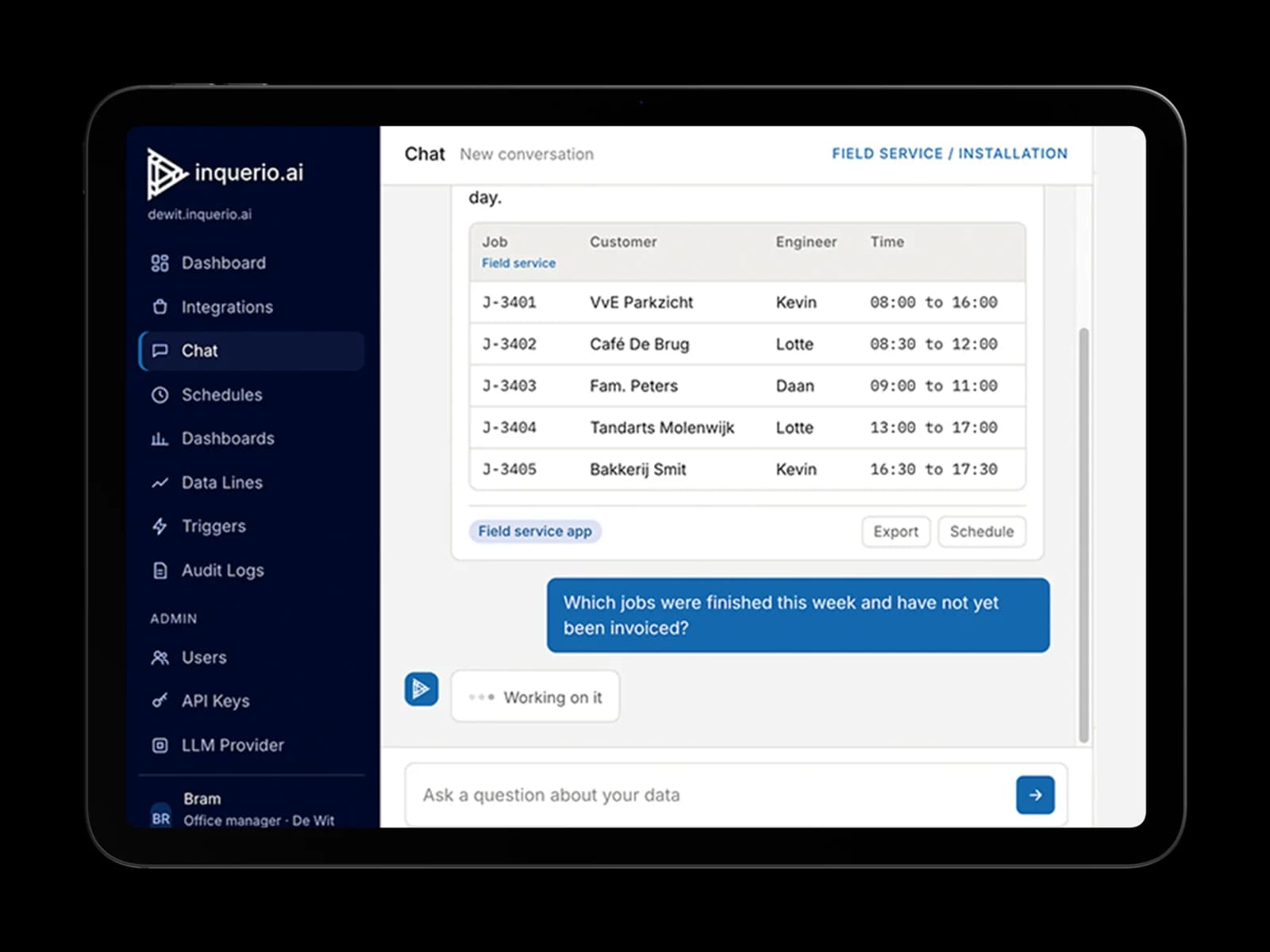
Finished is not the same as invoiced
The technician finishes the job and the schedule is updated. The invoice only gets made when someone remembers or finds the time. The job shows as finished, but the money hasn't come in. You only notice when you open the books. Every uninvoiced job is money you've earned but can't use.
- Completed jobs sitting unbilled for weeks
- Parts ordered on gut feeling instead of based on next week's schedule
- The owner is the planner, the buyer, and the bookkeeper
Inquerio.ai connects your scheduling software, inventory system, and accounting software.
One layer over scheduling, inventory, and accounting
Ask inquerio.ai which jobs are finished but not yet invoiced, and you get an answer that combines your schedule and your accounting software. Each week, an overview of uninvoiced jobs and material stock levels for the week ahead lands in your inbox automatically.
What inquerio.ai gives you
- No more completed jobs left unpaid because the invoice slipped through the cracks
- Every week, an overview of what still needs to be invoiced
- A stock check before the technician leaves
- Fewer cash flow gaps because of a better invoicing flow
Examples of systems inquerio.ai can read
Planning
Pull job cards and schedules.
Possible integrations: Fieldwire, PlanningBoard, SimplyJob, or a shared calendar.
Parts and materials
Access to stock and supplier orders.
Possible integrations: a supplier webshop, a stock list, or an Excel file.
Accounting
View invoices and payment status.
Possible integrations: Moneybird, Exact Online, or e-Boekhouden.
3 simple steps to work with inquerio.ai
- 1
Ask your question in plain language.
- 2
Inquerio.ai retrieves the data directly from your scheduling software, inventory system, and accounting software.
- 3
You get one answer with source references, before making the next decision.
Frequently asked questions
Do I need to replace my scheduling software or accounting software to use inquerio.ai?
No. Inquerio.ai reads data from the systems you already use, such as your scheduling software and accounting software. Nothing gets replaced or migrated.
Can inquerio.ai also alert me to material shortages?
Yes, each week you automatically receive an overview of material shortages for jobs scheduled for the following week, along with an overview of uninvoiced jobs.
Can I find out the average time it takes from completing a job to sending the invoice?
Yes, all you have to do is ask, and inquerio.ai will calculate it using the data from your schedule and accounting.
Does our business data stay in our own systems?
Yes. Your business data stays in your own systems. Inquerio.ai reads it when you ask a question, and nothing needs to be migrated.
Do I need to keep my own record of which jobs still need to be invoiced?
No. Inquerio.ai automatically compiles a weekly overview of completed but uninvoiced jobs, so you don't have to remember it yourself.